
Turn your shop into a payments point.
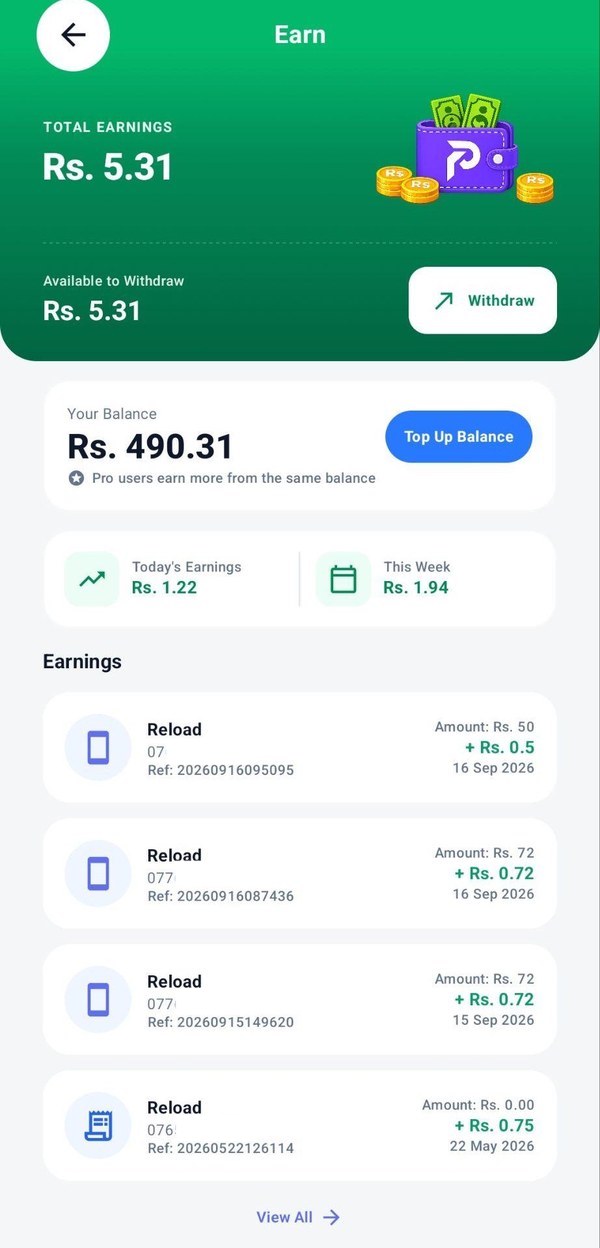
Any PayMaster user can become a merchant by topping up the merchant wallet, then earn on eligible transactions and track earnings in the Earn dashboard.
- Earn on eligible merchant transactions
- See today's and this week's earnings
- Withdraw your available earnings
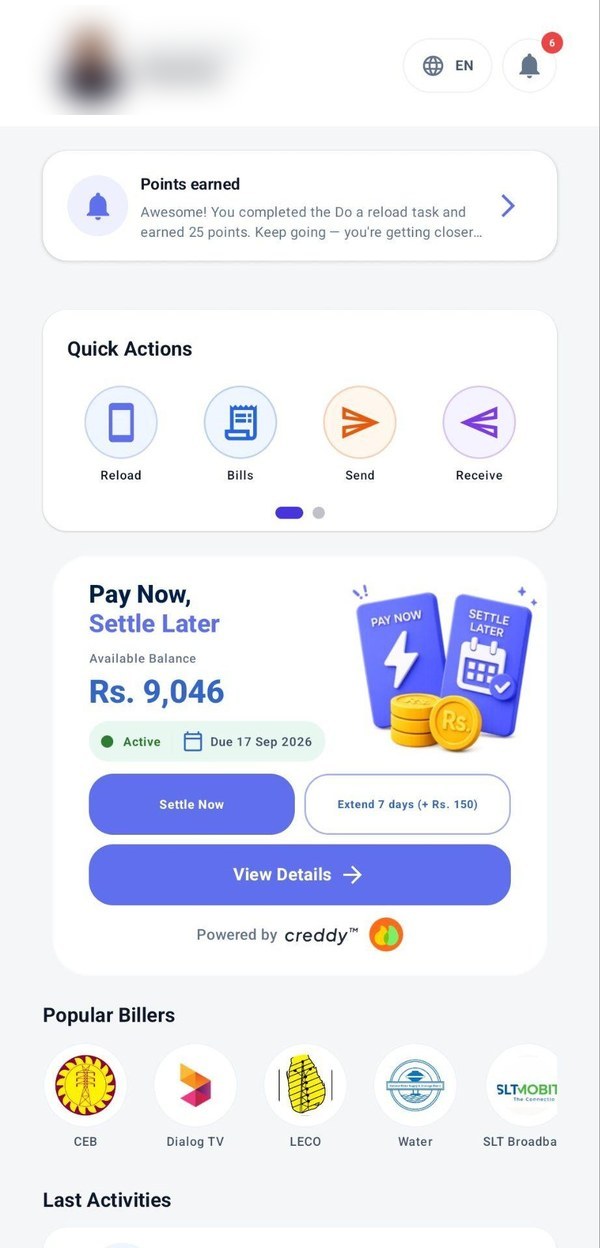
How Earn works
Simple for any shop or agent.
Become a merchant
Any PayMaster user can become a merchant. Do your first top-up to the merchant wallet to get started.
Top up your merchant wallet
Add funds with Top Up Balance so you can serve customers.
Serve customers
Process reloads, bills and other eligible transactions.
Earn
Eligible transactions add to your earnings.
Withdraw
Withdraw your available earnings.
Your business at a glance
Everything you need on one screen.
- Total earningsEverything you have earned through PayMaster.
- Available to withdrawWhat you can withdraw right now.
- Your balanceYour working balance, with Top Up Balance.
- Today and this weekDaily and weekly earnings side by side.
- Every transactionEach transaction with its amount, reference number and earning.
Frequently asked questions
Who can use Earn?
Any PayMaster user. Become a merchant by topping up your merchant wallet.
How do I become a merchant?
Open the app and do your first top-up to the merchant wallet. Any PayMaster user can become a merchant this way.
What is Pro?
Pro merchants earn more from the same balance.
How do I withdraw my earnings?
Tap Withdraw on the Earn dashboard.
Become a PayMaster merchant.
Free on iPhone, Android and Huawei. Sign up with your mobile number.